Photo Lab Picture Editor & Art
PHOTO LAB DMCCPhotography
4.5103.22K Reviews
- Version
- 3.13.115
- Installs
- 100.00M
- Age Rating
- Teen
Screenshots
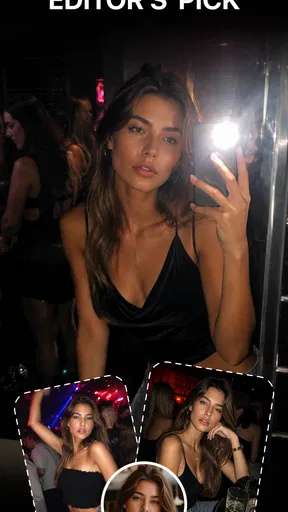
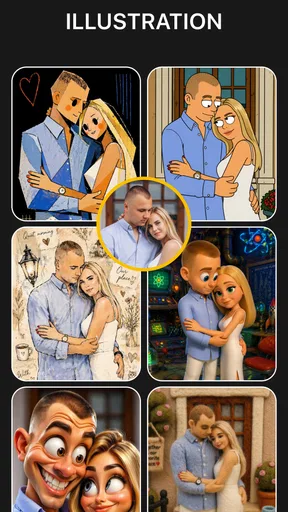
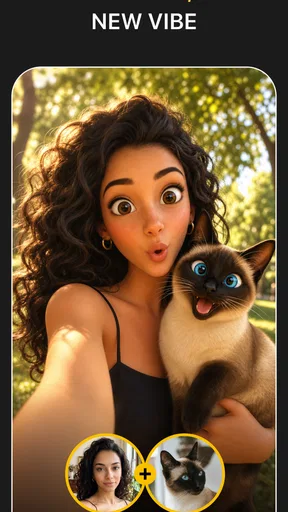
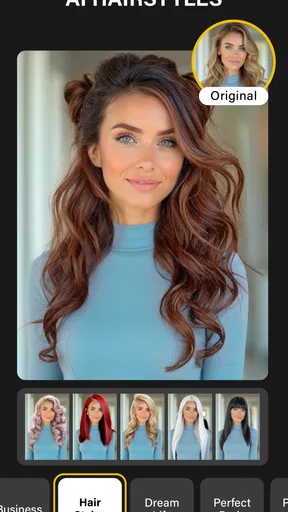
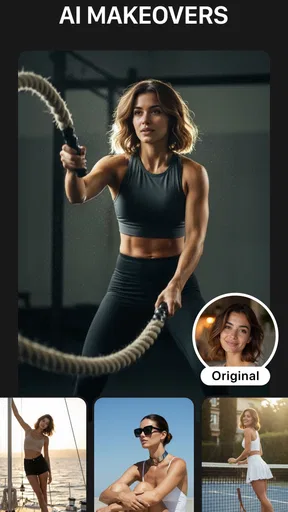
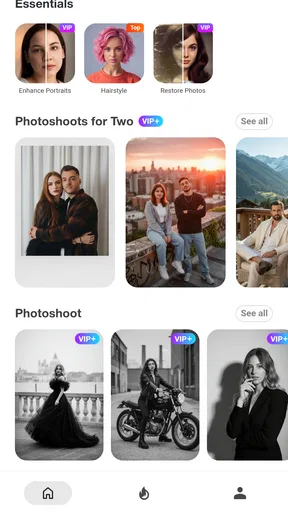
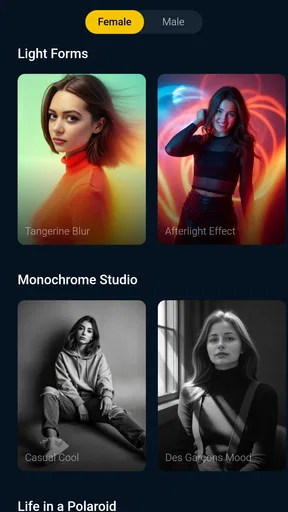
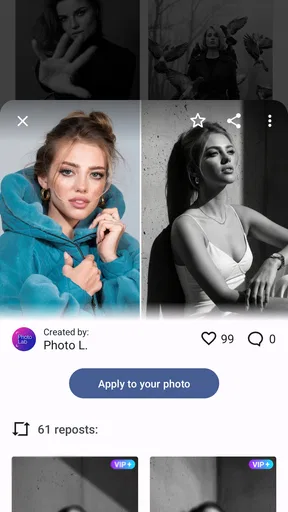
Our Review of Photo Lab Picture Editor & Art
 Analysis by Appyee
I first reached for Photo Lab Picture Editor & Art because I wanted a quick change of mood, not a long editing session. Its appeal is easy to understand: it turns a familiar photo into something more playful, with effects that invite you to experiment. That makes it especially tempting during the first few days, when every new treatment feels like a reason to open the app again.
Why the first week feels lively
Photo Lab is a photography app from PHOTO LAB DMCC, and its central idea is less about careful retouching than about giving pictures a strong visual twist. The store summary points to PS2 and AI Clay filters and cartoon effects, which gives a better sense of its personality than a traditional editor built around subtle exposure and color corrections. I see it as a creative side tool: useful when the goal is a funny portrait, an illustrated-looking image, or a quick visual surprise.
The first useful habit is to start with a photo that has a clear subject. A face with good light or an object against a simple background gives an effect less visual clutter to compete with. When I want a result that reads immediately in a small social post, I choose a close crop before trying a dramatic style. The effect may be striking, but it cannot rescue a photo where the subject is hard to distinguish.
Another practical approach is to decide what the picture is for before browsing. A playful image for a friends’ chat can handle a bold, exaggerated treatment; a picture intended as a profile image may benefit from something less busy. This small choice saves time because the app’s entertaining options can otherwise turn a two-minute edit into a long scroll through possibilities.
What remains useful after the novelty
The longer-term question is whether an effects app earns a regular place on your phone once the initial curiosity fades. For me, its recurring value depends on whether you actually share or reuse the kind of images it helps create. If you often make birthday greetings, group-chat jokes, themed profile pictures, or quick creative variations of portraits, the same basic workflow can serve a new purpose each time. If you rarely edit photos, the novelty may be enough for a few sessions rather than a lasting routine.
A realistic everyday use is taking a quick portrait at a family gathering and making a lighthearted version to send to the group later. I would keep the original untouched, test a couple of treatments, and save only the one that fits the mood. That gives you a playful extra without making the edited image the only copy you have. It also helps avoid the common mistake of sending the first effect simply because it is funny: a little comparison usually makes the result feel more intentional.
This is not the app I would choose for a disciplined editing workflow. If I need precise control over tone, color, cropping, or a consistent look across a collection of photos, a conventional photo editor is a better fit. Photo Lab’s strength is the quick transformation, not fine-grained correction. It complements those tools rather than replacing them, and that distinction matters if you are deciding whether to keep only one editor installed.
It is free to download, with optional in-app purchases ranging from $0.99 to $99.99 per item. I would treat the free experience as a chance to see whether its creative style suits your habits before spending anything. The app is rated Teen, so it is worth keeping that audience in mind if you are choosing an app for a younger user. Its long history—it was released on December 29, 2010—also helps explain why it has accumulated a large audience, but popularity alone does not tell you whether its particular effects match your taste.
Using Photo Lab without turning it into a chore
When I want Photo Lab to stay useful beyond the first burst of curiosity, I give each session a small, clear purpose: make one portrait more playful, or prepare one image to share. That keeps browsing from replacing editing and makes it easier to decide when I’m done. I also keep the untouched photo so a bold experiment never has to become the only version I have.
Unleashing creativity with a little intention
Ever stumbled upon an app that makes your photos look like they've been touched by a professional magician? Well, that's exactly what happened when I tried out Photo Lab Picture Editor & Art. Let me tell you, it's like having a mini Photoshop right in your pocket, minus the complicated stuff. If you're like me and love tinkering with photos, this app could be your new best friend.
From the get-go, Photo Lab Picture Editor & Art gives off a friendly vibe. The interface is clean and intuitive, making it super easy to navigate. As someone who tends to get overwhelmed by too many options, this was a breath of fresh air. You won't need a manual or a tutorial video to get started here.
The app offers a broad selection of effects, frames, and montages. The variety is impressive, and I found myself spending way more time than anticipated just exploring. That abundance is a strength when I am looking for a particular mood, but it also creates a small trap: browsing can become the activity, even when I only meant to finish one picture. I get more out of it when I narrow the task first—one portrait, one intended use, and a short shortlist of styles to compare.
What really caught my attention were the artistic effects. You can transform your photos into what looks like hand-painted masterpieces. The "Artistic Effects" section is an absolute goldmine for anyone wanting to give their photos a unique touch. I tried turning a selfie into a watercolor painting, and the result was surprisingly cool!
Then there's the "Face Photo Montages" feature. This is where things get fun and hilarious. Fancy seeing yourself as an astronaut or a pirate? It's all possible with just a few taps. This feature alone made me want to share my creations with friends just for laughs.
One trade-off with heavily stylized portraits is that the effect becomes the main event. That is perfect for a joke, a themed greeting, or an image meant to catch a friend’s eye, but it is not always flattering or suitable for a serious profile picture. I would make two versions when the original matters: one creative edit to share and one plain portrait to keep for practical uses. This also makes it easier to judge the effect on its own rather than feeling that every photo has to be transformed.
Sharing, saving, and choosing the right tool
If you're active on social media, you'll appreciate how Photo Lab makes sharing a breeze. The app is integrated with all the usual suspects: Instagram, Facebook, Twitter, you name it. One click and your masterpiece is out there for the world to see. Plus, the editing options ensure your posts stand out and get the attention they deserve.
In practice, I would still pause before sharing directly. Looking at the result in the destination app or in a message preview can reveal whether the crop and composition feel right at a smaller size. A dramatic effect that looks detailed on a phone screen may read as busy in a tiny thumbnail. I also prefer to keep a clean original available, especially for family photos or anything I may want to edit differently later.
That is where Photo Lab differs from the usual all-purpose photo editor. Many standard editors prioritize adjustments that preserve the photograph—straightening, color balance, brightness, and restrained retouching. This app is more appealing when you want a visible transformation rather than a natural-looking correction. If the question is “How can I make this picture look more polished without changing its character?”, I would reach for a conventional editor. If the question is “How can I make this portrait amusing or distinctly art-like?”, Photo Lab makes more sense.
Now, let's talk about the user experience. For all its features, the app runs smoothly without any noticeable lag. Even on my older device, it performed well, which is a huge plus. The ads are there, but they're not too intrusive. If ads aren’t your thing, there's a premium version available that offers an ad-free experience along with some additional features.
Because the app is free to start and includes in-app purchases, I would pay attention to any purchase prompt rather than assuming every option is included at no cost. The optional items range from $0.99 to $99.99 each, so it is sensible to explore the experience first and decide whether an extra is genuinely useful to you. The current version is 3.13.84, and it requires Android 6.0 or later. Those details are handy if you are checking compatibility on an older Android device; iOS users should check the requirements shown for their device in the relevant store.
What I appreciate is the app’s ability to save creations in high resolution. This is crucial for anyone wanting to print their photos or use them beyond just digital sharing.
For a print, I would inspect the saved result at a larger size before sending it anywhere. Strong effects can make edges, textures, or facial details look different from the original, and a treatment that feels charming on a phone may be too intense on paper. Keeping the unedited photo gives you a fallback if the final image does not suit the intended use. It is a simple workflow, but it helps separate playful experimentation from preserving a photo you care about.
Keeping the habit light
My main source of fatigue is not a complicated interface; it is having so many possible directions that the app can encourage aimless browsing. I avoid that by opening it with a specific picture and a small goal, such as making a cartoon-like portrait for a message or creating one striking version of a travel photo. If none of the results feels right after a few tries, I stop rather than treating more scrolling as a guarantee of a better edit.
It is also not essential to use an effects app every time you take a photo. Ordinary pictures often work best left alone, and applying a dramatic treatment to everything can make those edits feel less special. For someone who wants a regular camera companion, an editor focused on consistent corrections will be more useful day to day. For someone who enjoys occasional visual play, the lighter, on-demand role is exactly what makes Photo Lab easy to return to.
The audience figures show that it has broad reach: it has over 100 million installs, an average rating of 4.5 from around 6.6 million ratings, and roughly 104,000 written reviews. I take that as a sign that the concept has found plenty of people who enjoy quick creative edits, not as a promise that every effect will suit every photo. The best test is whether you like the finished images enough to save or share them after the first burst of exploring.
The long-term verdict
So, would I recommend Photo Lab? Absolutely. It's an app that sparks creativity without overwhelming you with options. Whether you're a casual user or someone who takes their photo editing seriously, there's something in here for you. The combination of ease of use, variety of features, and social sharing capabilities makes it a must-try.
I would qualify that recommendation by being clear about who will get the most from it. It is a good match for people who enjoy stylized portraits, playful transformations, and quick images made to entertain or stand out. It is less suitable for anyone who needs precise retouching, a restrained professional finish, or a dependable way to make every photo in a set look consistent. Knowing that difference will save you from expecting it to behave like a full editing suite.
If you're looking to add a bit of magic to your photos, this app is definitely worth the download. So go ahead, unleash your inner artist and let your photos do the talking!
Verdict
Strengths of Photo Lab Picture Editor & Art
- Extensive range of artistic filters.
- User-friendly interface for easy editing.
- High-quality output images.
- Frequent updates with new features.
- Social media sharing integration.
Limitations of Photo Lab Picture Editor & Art
- Contains in-app advertisements.
- Some features require payment.
- Occasional slow performance.
- Limited offline functionality.
- Requires account for full access.
Other Releases by PHOTO LAB DMCC
View All
ToonMe photo cartoon maker
Photography4.5
Similar Picks in This Category
View All
Google Photos
Google LLC4.4

Gallery
Google LLC4.2

Picsart AI Photo Editor, Video
PicsArt, Inc.3.9

B612 AI Photo&Video Editor
SNOW Corporation4.1

BeautyPlus-Selfie Photo Editor
PIXOCIAL TECHNOLOGY (SINGAPORE) PTE. LTD.4.5

Remini - AI Photo Enhancer
Bending Spoons4.1
Frequently Asked Questions
What features does Photo Lab Picture Editor & Art offer?
Photo Lab Picture Editor & Art provides a wide range of features including over 900 effects, filters, and frames. Users can create stunning photo montages, apply realistic photo effects, and transform their images into art with the app’s user-friendly interface. It also includes AI-driven tools for enhanced editing.
Is Photo Lab Picture Editor & Art free to use?
The app is free to download and offers a variety of features at no cost. However, it includes in-app purchases and a premium subscription which unlocks additional effects, removes ads, and provides a watermark-free experience. Users can decide whether to use the free version or upgrade based on their needs.
Does Photo Lab Picture Editor & Art require an internet connection?
Yes, Photo Lab Picture Editor & Art requires an internet connection to apply certain effects and filters. Since many features rely on cloud processing, users will need to be connected online for optimal use. However, some basic editing tools might not need an active connection.
Is the app compatible with both Android and iOS devices?
Yes, Photo Lab Picture Editor & Art is available for both Android and iOS platforms. It can be downloaded from the Google Play Store and Apple App Store, ensuring a wide range of users can access and enjoy its features across different devices.
How does the app ensure user privacy and data security?
Photo Lab Picture Editor & Art takes user privacy seriously by adhering to stringent data protection policies. The app collects minimal personal data, primarily for enhancing user experience, and ensures data is securely stored. Users can review the privacy policy within the app for more details.
